Create API tokens
If you want to develop around Mungsoft component, you need first a token. See below how to generate a token.
How to create an API Token?
Through the webUI
- Open gear menu → api keys.
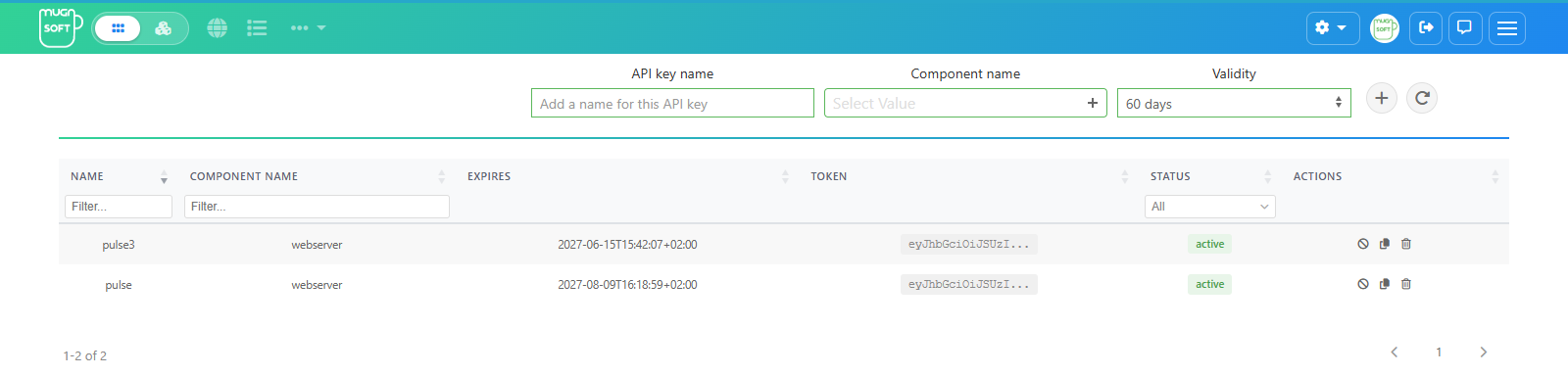
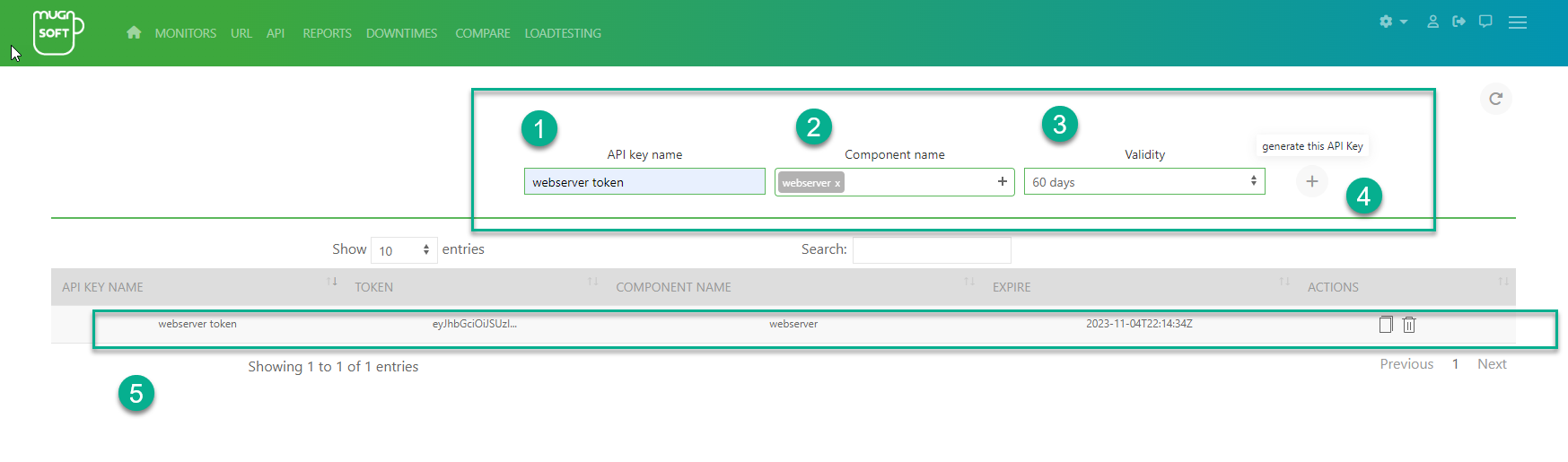
- In the row at the top, enter an API key name, pick the Component name and a Validity, then click +. The key appears in the list; after the validity period it expires. Use the row actions to copy, revoke or delete a key.
Revoke a key
A key is the token of the component you picked when you created it: that component, not the Webserver, checks it. When you click Revoke on a key:
- The Webserver refuses the key at once.
- The Webserver tells the component that issued it (probe, Integrator or Sentinel Agent), which then refuses it too. The confirmation message says so.
- If the component is down, the message warns you that the key still works there. The Webserver tries again every 5 minutes until the component answers.
A revoked key cannot be renewed. A component older than 4.2.0 cannot be told: the key keeps working on that component until it is upgraded, and the message says so.
Using curl or any other http request builder tool (for webserver only)
You need to send a POST request along with a valid user and password to the component API endPoints: /loginComponent, /loginComponent1Year or /loginComponent15Years.
- For example, with curl:
