Integrator HTTP API
The Mugnsoft Integrator REST API provides endpoints for managing integrations, receiving monitoring data, querying cached results, and configuring notifications. Version 3.0.0
Introduction
The Integrator API allows you to:
- Configure third-party integrations (InfluxDB, Splunk, Elasticsearch, Kafka, Zabbix, Canopsis)
- Receive and process monitoring data from Monitor probes and Sentinel Agents
- Query cached monitoring data (for pull-based integrations like Zabbix)
- Manage users and authentication
- Test integration connectivity
- Monitor Integrator system health
Base URL: https://<integrator-ip>:8060
Protocol: HTTPS with mTLS (mutual TLS)
Authentication
The Integrator uses JWT (JSON Web Token) authentication with RS256 algorithm.
Login
curl -k -X POST https://192.168.1.100:8060/api/auth \
  -H "Content-Type: application/json" \
  -d '{
    "username": "admin",
    "password": "your_password"
  }'
Response (200 OK):
{
  "code": 200,
  "expire": "2025-10-11T12:15:00Z",
  "token": "eyJhbGciOiJSUzI1NiIsInR5cCI6IkpXVCJ9..."
}
Token Types:
| Endpoint | Lifetime | Use Case |
|---|---|---|
POST /api/auth |
15 minutes | User API access |
POST /loginComponent |
24 hours | Component communication |
POST /loginComponent1Year |
1 year | Long-lived automation |
POST /loginComponent15Years |
15 years | Permanent integrations |
Token Refresh
curl -k -X GET https://192.168.1.100:8060/refresh_token \
  -H "Authorization: Bearer <your_current_token>"
Rate Limiting
Authentication endpoints are rate-limited to 10 attempts per IP per 5-minute window.
Data Reception Endpoints
These endpoints receive monitoring data from Monitor probes and Sentinel Agents. They are authenticated with component JWT tokens.
EUM (End User Monitoring)
curl -k -X POST https://192.168.1.100:8060/integrator/data2integrator \
  -H "Authorization: Bearer <component_token>" \
  -H "Content-Type: application/json" \
  -d '{
    "name": "Login Scenario",
    "shortname": "login_scenario",
    "probe": "probe1",
    "monType": "eum",
    "timestampEpoch": 1728565200,
    "hostname": "app.example.com",
    "status": "NORMAL",
    "statusInt": "0",
    "location": "Paris",
    "value": 125.5,
    "transactions": {"Login": 45.2, "Dashboard": 80.3},
    "alerting": "true",
    "emailOnF": true,
    "emailR": "ops@example.com"
  }'
All Data Reception Endpoints
| Endpoint | Monitor Type |
|---|---|
POST /integrator/data2integrator |
EUM (Selenium scenarios) |
POST /integrator/data2integratorApp |
Application monitors |
POST /integrator/data2integratorApi |
API monitors |
POST /integrator/data2integratorUrl |
URL/HTTP monitors |
POST /integrator/data2integratorTcp |
TCP port monitors |
POST /integrator/data2integratorPing |
ICMP ping monitors |
POST /integrator/data2integratorNslookup |
DNS lookup monitors |
POST /integrator/db/data2integrator2 |
Database query monitors |
POST /integrator/sys/data2integrator2 |
System metrics monitors |
POST /integrator/data2integratorDisco |
Sentinel Agent metrics |
Common Payload Fields
| Field | Type | Description |
|---|---|---|
name |
string | Monitor display name |
shortname |
string | Monitor unique identifier |
probe |
string | Source probe name |
monType |
string | Monitor type: eum, app, api, url, tcp, ping, nslookup, db, sys, disco |
timestampEpoch |
int64 | Unix timestamp (seconds) |
hostname |
string | Target hostname |
status |
string | Status: NORMAL, MINOR, MAJOR, CRITICAL, TIMEOUT, EXCEPTION, ERROR |
statusInt |
string | Status code: 0=OK, 1=MINOR, 2=MAJOR, 3=CRITICAL, 4=CONFIG, 5=TIMEOUT, 6=EXCEPTION |
location |
string | Probe location |
value |
float64 | Response time in milliseconds |
alerting |
string | "true" to enable alerting |
resSC |
string | "status_has_changed" or "notifyafter" |
emailR |
string | Email recipients (comma-separated) |
emailOnF / emailOnSC |
bool | Alert on failure / status change |
slackOnF / slackOnSC |
bool | Slack alert triggers |
teamsOnF / teamsOnSC |
bool | Teams alert triggers |
pdOnF / pdOnSC |
bool | PagerDuty alert triggers |
Data Query Endpoints
These endpoints are used by pull-based integrations (e.g., Zabbix) to retrieve cached monitoring data.
Get All Values in a Bucket
curl -k -X GET https://192.168.1.100:8060/integrator/data/allV \
  -H "Authorization: Bearer <token>"
Get All Keys
curl -k -X GET https://192.168.1.100:8060/integrator/data/allK \
  -H "Authorization: Bearer <token>"
Get All Key-Value Pairs
curl -k -X GET https://192.168.1.100:8060/integrator/data/allKV \
  -H "Authorization: Bearer <token>"
Get Values by Pattern
curl -k -X GET "https://192.168.1.100:8060/integrator/data/allVPattern?pattern=web" \
  -H "Authorization: Bearer <token>"
Get Specific Key
curl -k -X GET https://192.168.1.100:8060/v1/db/event/bucket/data/key/mymonitor \
  -H "Authorization: Bearer <token>"
Query Events by Tags/Apps
curl -k -X POST https://192.168.1.100:8060/integrator/events \
  -H "Authorization: Bearer <token>" \
  -H "Content-Type: application/json" \
  -d '{
    "tags": "production,web",
    "apps": "myapp"
  }'
Settings Management
Get Current Settings
curl -k -X GET https://192.168.1.100:8060/api/setting \
  -H "Authorization: Bearer <token>"
Update Settings
curl -k -X PATCH https://192.168.1.100:8060/api/updateSetting \
  -H "Authorization: Bearer <token>" \
  -H "Content-Type: application/json" \
  -d '{
    "logLevel": "info",
    "nbworker": "8",
    "queuesize": "20000",
    "influxDBEnabled": "true",
    "influxDBVersion": "2.x",
    "influxDBServer": "influxdb.example.com",
    "influxDBPort": "8086",
    "influxDBOrg": "myorg",
    "influxDBBucket": "mugnsoft",
    "influxDBToken": "my-token"
  }'
Test Integration Connectivity
curl -k -X POST https://192.168.1.100:8060/testIntegration \
  -H "Authorization: Bearer <token>" \
  -H "Content-Type: application/json" \
  -d '{
    "type": "influxdb"
  }'
Tests the connection to a configured integration target. Supported types: influxdb, splunk, elastic, kafka, zabbix, canopsis.
User Management
List Users
curl -k -X GET https://192.168.1.100:8060/api/users \
  -H "Authorization: Bearer <token>"
Create User
curl -k -X POST https://192.168.1.100:8060/api/users \
  -H "Authorization: Bearer <token>" \
  -H "Content-Type: application/json" \
  -d '{
    "username": "operator",
    "password": "securepass",
    "fullname": "Ops Team",
    "email": "ops@example.com",
    "group": "admin",
    "enabled": "true"
  }'
Update User
curl -k -X PATCH https://192.168.1.100:8060/api/users \
  -H "Authorization: Bearer <token>" \
  -H "Content-Type: application/json" \
  -d '{
    "username": "operator",
    "group": "user"
  }'
Delete User
curl -k -X DELETE https://192.168.1.100:8060/api/users/operator \
  -H "Authorization: Bearer <token>"
System & Health
Health Check
curl -k https://192.168.1.100:8060/ping
Response:
{
  "message": "pong"
}
No authentication required.
Uptime
curl -k -X GET https://192.168.1.100:8060/uptime \
  -H "Authorization: Bearer <token>"
System Metrics
curl -k -X GET https://192.168.1.100:8060/api/metrics \
  -H "Authorization: Bearer <token>"
Returns current CPU, memory, and load average metrics.
System Metrics Graph
curl -k -X GET "https://192.168.1.100:8060/api/reportSysMetricsGraph/1728565200000/1728651600000" \
  -H "Authorization: Bearer <token>"
Returns historical system metrics for graphing.
Database Operations
Backup Database
curl -k -X POST https://192.168.1.100:8060/backupDatabase \
  -H "Authorization: Bearer <token>"
Reinitialize Database
curl -k -X POST https://192.168.1.100:8060/reinitDatabase \
  -H "Authorization: Bearer <token>"
Certificate Management
Reload Certificates
curl -k -X GET https://192.168.1.100:8060/reloadCertificates \
  -H "Authorization: Bearer <token>"
Reloads TLS certificates from the config/ssl/ directory without restarting the service.
Swagger Documentation
Interactive API documentation is available via Swagger UI:
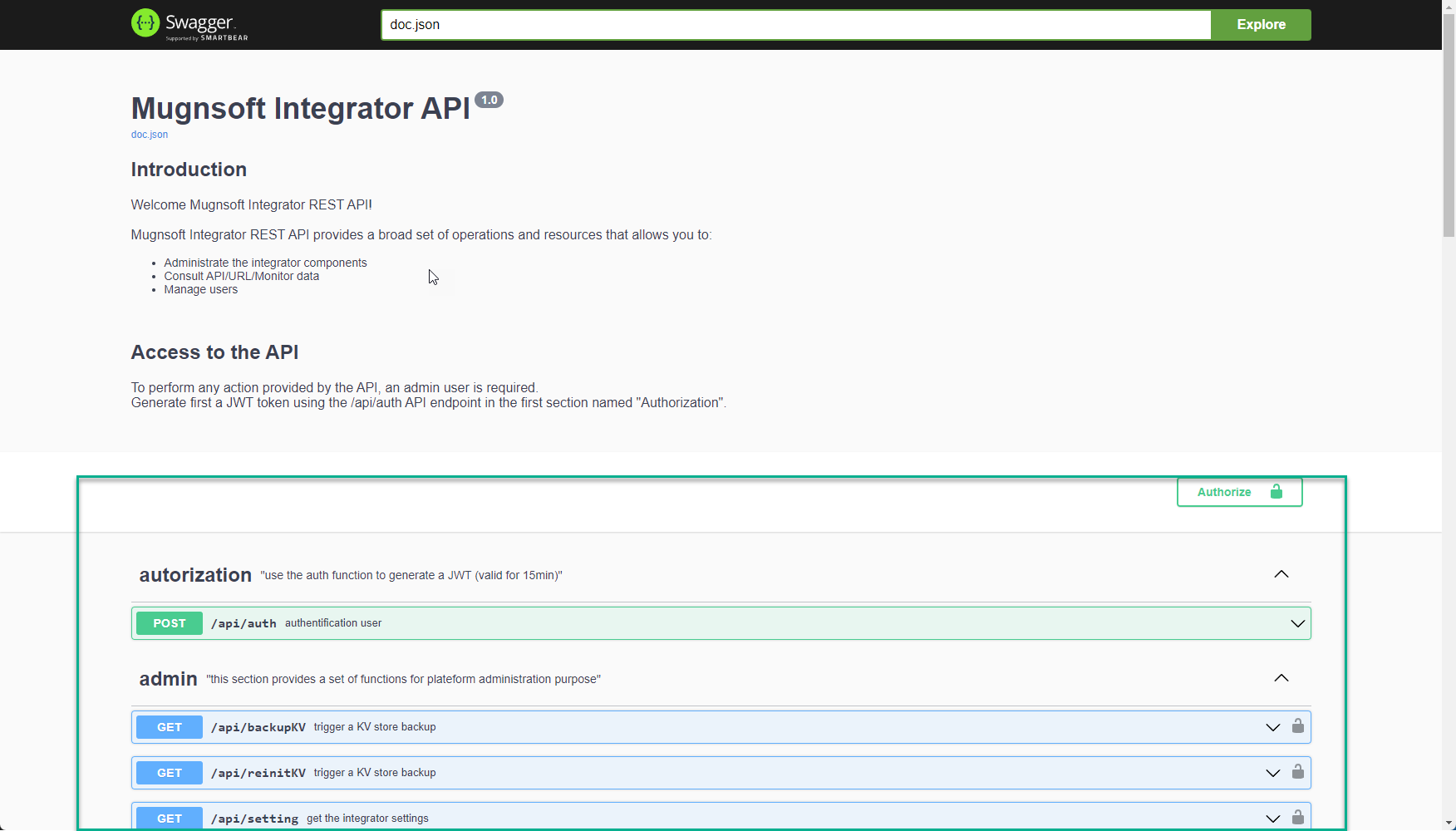
Access the Swagger UI at: https://<integrator-ip>:8060/docs/index.html
Response Codes
| Code | Status | Description |
|---|---|---|
| 200 | OK | Request successful |
| 201 | Created | Resource created |
| 400 | Bad Request | Invalid request |
| 401 | Unauthorized | Missing or invalid JWT token |
| 403 | Forbidden | Insufficient permissions (admin required) |
| 404 | Not Found | Resource not found |
| 429 | Too Many Requests | Rate limit exceeded (auth endpoints) |
| 500 | Internal Server Error | Server error |